Free Restaurant Menu QR Code Generator
Instant digital menus for restaurants, cafés, bakeries, and cloud kitchens. Let diners view your menu on their smartphone without touching physical paper.
Restaurants, cafés, bakeries, food trucks, and cloud kitchens. Download table tent and counter standee layouts.
PDF Document Payload
Enter details below to generate vector scannable code
Planning to print on physical standees or packaging?
Pro FeatureAvoid reprint costs. Dynamic QR codes let you change your menu destination URL anytime after printing, plus track real-time customer scan analytics by city and device.
Restaurant Menu QR Code Generator
A restaurant menu QR code gives diners instant access to your food and drinks menu right on their own smartphones. Upload a menu PDF or connect your online ordering link, and embedro builds a clean, high-contrast QR code ready to print on dining table tents, acrylic stands, and placemats. Diners scan with their standard phone camera without downloading any third-party apps.
Direct Link to Digital Menu
Encodes the web link to your online food and drink menu so diners can browse options on their own phones.
Tabletop Dining Frames
Choose from frames with labels like "View Menu" or "Table Menu" in warm amber or dark slate.
Print for Table Tents & Stands
Export vector SVG for acrylic table stands or high-resolution PNG for waterproof vinyl table stickers.
View Technical Encoding Specifications
https://yourrestaurant.com/menuHow to create a digital menu QR code
Follow these 4 verified steps in the editor above to configure, style, test, and export your scannable code.
Upload your menu PDF file or paste your digital menu web link into the generator
Enter your destination URL, payment details, or text in the editor above.
Select an eye-catching dining frame like "View Menu" and apply your brand colors
Select custom corner eyes, dot patterns, brand colors, and add an eye-catching call-to-action frame.
Test-scan the code with your smartphone camera to confirm the menu opens smoothly
Preview the generated matrix on screen and verify reliable optical detection with your smartphone camera.
Export the high-resolution vector SVG or high-resolution PNG file for your print vendor
Download high-resolution vector SVG, PDF, or crisp PNG files ready for screen or commercial print.
Where dining venues deploy menu QR codes
Practical applications across physical checkout counters, corporate collateral, packaging, and commercial displays.
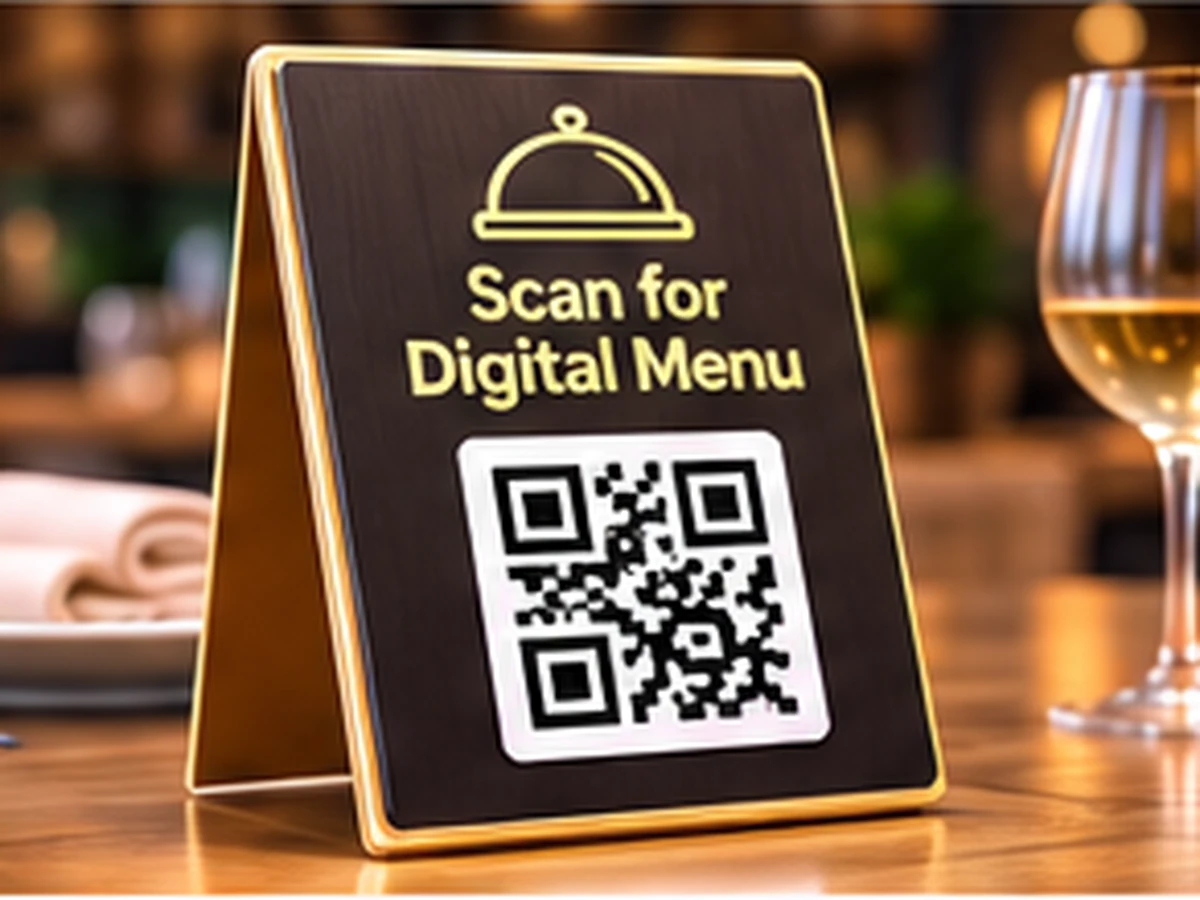
Dining table tents
Double-sided acrylic stands placed on indoor tables and outdoor patio dining setups.
Takeaway counters & drive-thrus
Displayed near the register so customers can review combo meals while queuing.
Bar tops & beverage coasters
Compact waterproof coasters placing cocktail and wine lists at patrons' fingertips.
Bakery display cases
Placed on glass countertops linking to daily specials and allergen ingredient charts.
Hotel room service compendiums
Printed on bedside table cards enabling in-room dining orders without paper booklets.
Food truck ordering windows
Weather-resistant vinyl stickers allowing street food diners to browse full menus.
Static vs. Dynamic QR Codes: Which One Do You Need?
Choose between permanent direct-encoded codes (free forever, zero accounts) and high-speed cloud redirects (update links anytime & track scans).
Static QR Code
Data is written directly inside the QR image. The camera scans it offline with zero servers involved.
- Never ExpiresWorks for life
- No Account RequiredNo sign-up or card
- Works 100% OfflineNo server hops
- High-Res Vector ExportsSVG, PDF & PNG
- Change Link After PrintingNo (Permanently etched)
- Scan Counts & AnalyticsNone (Camera-to-target)
Wi-Fi password signs, personal business cards, shop counter UPI plates, book pages, and permanent physical labels.
Dynamic QR Code
Points to a short link that forwards visitors. You can change where it goes anytime from your screen.
- Change Link After PrintingUpdate link anytime
- Scan Analytics & StatsTotal scans, devices, cities
- Fix Typos Without Re-PrintingZero reprint waste
- High-Res Vector ExportsSVG, PDF & PNG
- Password & Expiry LimitsOptional protection
- Server DependencyGlobal edge cloud redirect
Digital menu QR codes connect diners directly to your cloud-hosted menu or online ordering portal. When prices adjust or seasonal dishes change, your printed table stickers remain completely valid.
Frequently Asked Questions About Menu QR Code
Demonstrable facts regarding data encoding standards, printing limits, security, and scanner app compatibility.
Do diners need to install a special app to view the menu?
No. Modern iPhone and Android cameras automatically recognise QR codes natively and open the menu link directly in the mobile browser.
Can I link to a PDF menu or does it need to be a website?
You can link directly to a hosted PDF file, a Google Drive document, an online ordering website, or a social media catalog.
What size should I print menu QR codes for dining tables?
For seated diners scanning from 30 to 45 centimetres away, print the code at least 3.5 cm wide on acrylic table tents or table stickers.
Can I change my menu prices later without reprinting table stickers?
If you link to a hosted web page or replace the PDF at the same URL, your printed table QR codes will continue to show the updated menu without any reprinting.
Related QR code generators & technical guides
Discover complementary tools, industry formats, and print specifications for your business.
Ready to Generate Your Menu QR Code?
Create your code now with custom framing, verified high contrast, and vector SVG or high-resolution exports ready for screen or physical print.