Free Business Page QR Code Generator
One scannable code linking customers to your complete business profile: opening hours, contact details, Google Maps directions, and service menus.
Retail stores, commercial offices, salons, and repair workshops. Display on storefronts, entrance doors, and corporate brochures.
Bio Link Hub Payload
Enter details below to generate vector scannable code
Planning to print on physical standees or packaging?
Pro FeatureAvoid reprint costs. Dynamic QR codes let you change your business destination URL anytime after printing, plus track real-time customer scan analytics by city and device.
Business QR Code For Print & Digital Use
A business page QR code consolidates your company's essential customer touchpoints into a single, mobile-optimized destination. One scan connects visitors directly to your opening hours, phone numbers, WhatsApp chat, physical Google Maps location, service catalog, and official website, making it ideal for retail storefront doors, vehicle wraps, and trade show displays.
Direct Link to business
Direct static encoding ensures reliable scanning on standard smartphone camera apps to open business.
Custom Brand Framing & Badges
Choose from 10+ frame styles with customizable call-to-action text, brand colors, and center logo embedding.
Vector SVG & High-Resolution Formats
Export resolution-independent vector SVG for commercial printing, plus high-res PNG and print-ready PDF.
View Technical Encoding Specifications
https://example.com/destinationHow to create an all-in-one business QR code
Follow these 4 verified steps in the editor above to configure, style, test, and export your scannable code.
Enter your business landing page URL, multi-link portal, or company website address
Enter your destination URL, payment details, or text in the editor above.
Select a clean professional frame like "Visit Us" and apply your brand accent colors
Select custom corner eyes, dot patterns, brand colors, and add an eye-catching call-to-action frame.
Test-scan the preview with your smartphone to verify that all business links open fast
Preview the generated matrix on screen and verify reliable optical detection with your smartphone camera.
Download high-resolution vector SVG or high-resolution PNG files ready for vinyl and commercial print
Download high-resolution vector SVG, PDF, or crisp PNG files ready for screen or commercial print.
Where commercial enterprises deploy business QR codes
Practical applications across physical checkout counters, corporate collateral, packaging, and commercial displays.
Storefront entrance doors
Mounted on glass entryway doors informing after-hours visitors of operating hours and contact info.
Company vehicles & delivery vans
Placed on rear van panels driving interested motorists directly to service booking pages.
Corporate print brochures & flyers
Embedded on marketing leave-behinds connecting readers to complete digital service offerings.
Trade show exhibition booths
Displayed on banner stands enabling busy event attendees to capture company info in one second.
Office building reception lobbies
Positioned at building check-in points guiding visitors to company directory listings.
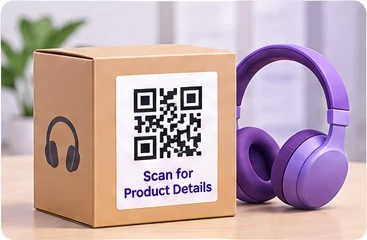
Product packaging & warranty cards
Printed on packaging inserts directing buyers to customer support and product registration.
What Customers See When Scanning Your Business QR
Customers scan on counters, packaging, or business cards to open your verified touchpoint hub: live opening hours, Google Maps navigation, 1-tap WhatsApp chat, phone calls, Google review links, and social channels.
Instant call & chat, Google Maps turn-by-turn directions, and 5-star review collection.
Launch Mobile View →Static vs. Dynamic QR Codes: Which One Do You Need?
Choose between permanent direct-encoded codes (free forever, zero accounts) and high-speed cloud redirects (update links anytime & track scans).
Static QR Code
Data is written directly inside the QR image. The camera scans it offline with zero servers involved.
- Never ExpiresWorks for life
- No Account RequiredNo sign-up or card
- Works 100% OfflineNo server hops
- High-Res Vector ExportsSVG, PDF & PNG
- Change Link After PrintingNo (Permanently etched)
- Scan Counts & AnalyticsNone (Camera-to-target)
Wi-Fi password signs, personal business cards, shop counter UPI plates, book pages, and permanent physical labels.
Dynamic QR Code
Points to a short link that forwards visitors. You can change where it goes anytime from your screen.
- Change Link After PrintingUpdate link anytime
- Scan Analytics & StatsTotal scans, devices, cities
- Fix Typos Without Re-PrintingZero reprint waste
- High-Res Vector ExportsSVG, PDF & PNG
- Password & Expiry LimitsOptional protection
- Server DependencyGlobal edge cloud redirect
Your business QR code connects physical foot traffic directly to your verified business profile or digital hub. Update your business hours, contact numbers, and service links on your digital portal without replacing printed signs.
Frequently Asked Questions About Business QR Code
Demonstrable facts regarding data encoding standards, printing limits, security, and scanner app compatibility.
What information can I share through a business page QR code?
You can share opening hours, store location, direct phone call links, WhatsApp chat, product catalogs, customer reviews, and appointment booking links.
Can I change the business links later without reprinting?
If you link the QR code to your company web page or a multi-link profile, you can update your hours, phone numbers, and offerings anytime without altering the printed QR code.
What size should I print a business QR code on a storefront door?
For glass doors and windows where pedestrians scan from 60 to 90 cm away, print the code at least 6 to 8 cm wide.
Is this code compatible with both iPhone and Android?
Yes. The QR code adheres to ISO/IEC 18004 standards and opens seamlessly in native camera apps across all iOS and Android devices.
Related QR code generators & technical guides
Discover complementary tools, industry formats, and print specifications for your business.
Ready to Generate Your Business QR Code?
Create your code now with custom framing, verified high contrast, and vector SVG or high-resolution exports ready for screen or physical print.